car logo Ford
car logo Volkswagen
car logo BMW
car logo Opel
car logo Audi
car logo Toyota
car logo Peugeot
English Русский
Български
Беларускі
Український
Српски
Hrvatski
Română
Polski
Slovenský
Magyar


Main
Freelander
Discovery
Range Rover
Defender
Contacts
Articles

Antenna — removal and installation (Defender 2007+)

 
  • Main
  • Defender
  • Defender 2007+
  • Electrical equipment
  • Other electronics
  • Antenna — removal and installation
 
        0  
Contents: Removal ⇩ Installation ⇩

Removal


1. Remove the audio system.

For more information, please refer to the chapter: Audio Block (415-01A Audio Unit, Removal and Installation).

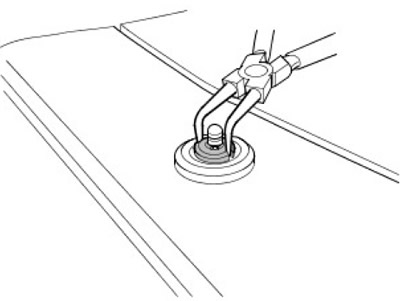
2. Unscrew the antenna mast mounting nut.

2. Unscrew the antenna mast mounting nut.


3. Disconnect the antenna assembly from the wing.
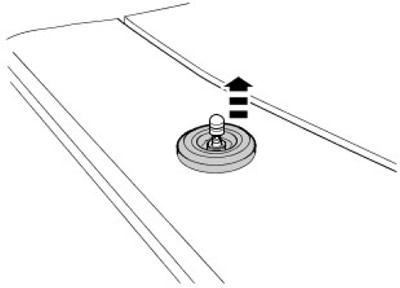
3. Disconnect the antenna assembly from the wing.


4. Disconnect the antenna cable.
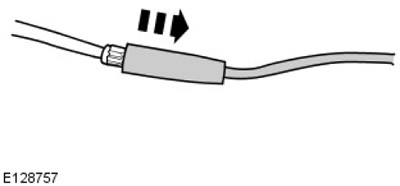
4. Disconnect the antenna cable.


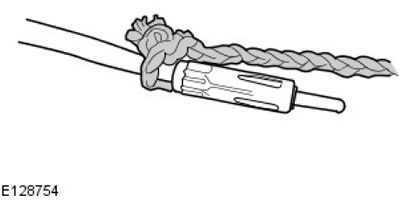
5. Attach a thin rope of suitable length to the antenna wire.


5. Attach a thin rope of suitable length to the antenna wire.


6. Remove the antenna wire.
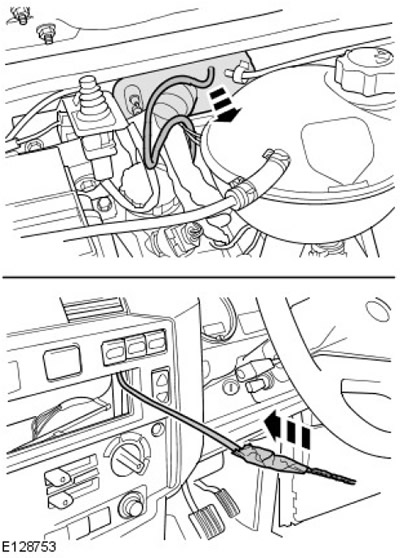
6. Remove the antenna wire.


7. Disconnect the rope from the antenna wire.

Installation


1.
NOTE: Use suitable tape to secure the antenna wire and rope to facilitate installation.


Attach the rope to the wire of the new antenna.
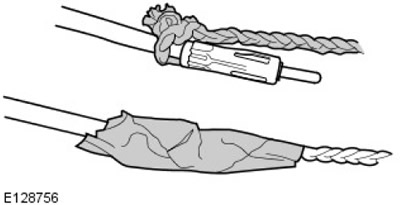
Attach the rope to the wire of the new antenna.


2. Install the antenna wire.
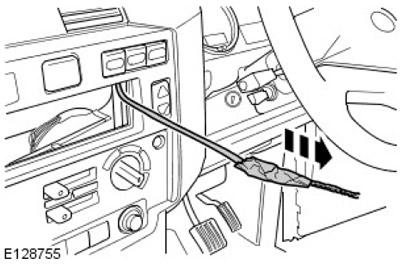
2. Install the antenna wire.


3. Disconnect the rope from the antenna wire.


4. Connect the antenna cable.
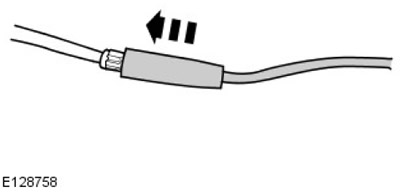
4. Connect the antenna cable.


5. Install the antenna assembly into the front fender.
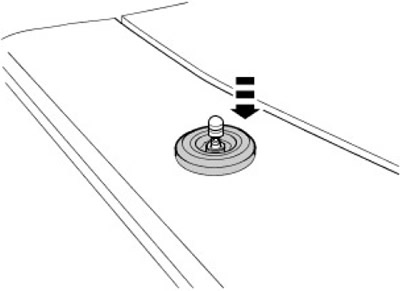
5. Install the antenna assembly into the front fender.


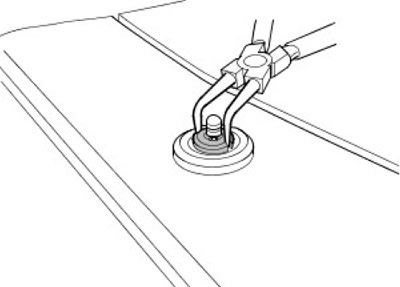
6. Install the antenna assembly mounting nut.

6. Install the antenna assembly mounting nut.


7. Install the audio system.

For more information, please refer to the chapter: Audio Block (415-01A Audio Unit, Removal and Installation).


This article is available at russian, bulgarian, belarusian, ukrainian, serbian, croatian, romanian, polish, slovak, hungarian
Article review: Saveliy Ushakov


Previous articles
Navigation system
Sound signal — removal and installation
Watch — removal and installation

Current article
Antenna — removal and installation

Next articles
Audio system — description and principle of operation
Audio block — removal and installation
Acoustic speaker in the rear door
Acoustic column in the control panel
Speaker mounted in a D-rack
Anti-theft system — active
Anti-theft system — passive
Passive Anti-Theft System (PATS) Module


Similar articles from Land Rover repair manuals:
• Tire Pressure Monitoring System (TPMS) Front Antenna Freelander 2 (2006-2014)
• Mechanical antenna — 3-door models Freelander 1 (1997-2006)
• Rear antenna for tire pressure monitoring system Discovery 3 (2004-2009)
• Antenna amplifier (1997 models) Discovery 1 (1989-1998)
• Front Wheel Antenna Tire Pressure Monitoring System Range Rover 3 (2001-2012)

Comments on this article


No comments yet


How much will 40 + 30 =


Defender 2007+ 
  • General information
  • Maintenance
  • Identification codes
  • Power unit
  • Diesel engine ID4 2.4L
  • Engine inspection
  • Engine cooling
  • Fuel supply
  • Fuel tank
  • Exhaust system
  • Accessory drive
  • Air filtration
  • Electronic parts
  • Mechanical gearbox
  • Transfer case
  • Clutch
  • Chassis
  • Car suspension
  • Wheels and tires
  • Steering
  • Steering column
  • Brake system
  • Front drive axle
  • Rear drive axle
  • Cardan shaft
  • Body and coating
  • Interior trim
  • Instrument panel and console
  • Exterior finish
  • Lockable body parts
  • Handles, locks, latches
  • Glass, frames and mechanisms
  • Windshield wipers and washers
  • Seats
  • Electrical equipment
  • Battery
  • Generator and regulator
  • Lighting and headlights
  • Winch
  • Heating and ventilation
  • Instrument panel
  • Other electronics


LRman.ru © 2013-2026 | Mobile version | Free Lander | Discovery | Range Rover | Defender | Contacts | | Sitemap |
Car repair and service instructions Land Rover: Freelander, Discovery, Range Rover, Defender
We use cookies to make pages load faster and provide a more user-friendly experience 🍪