Contents: Removal ⇩ Installation ⇩
Removal
1. Remove the right rear side body trim panel. For more information, refer to Right Cargo Area Trim Panel (76.19.22)
2. Detach the rear side trim panel mounting bracket. Remove 2 screws.
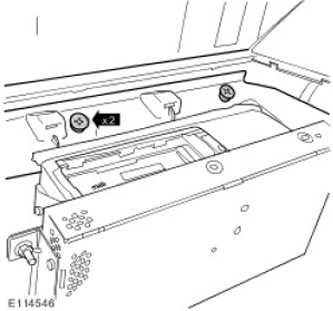
3. Disconnect the rear side trim panel mounting bracket. Release the 2 clips.
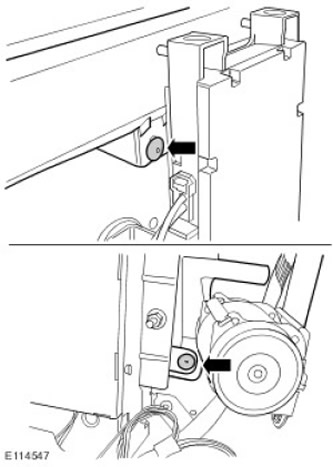
4.
CAUTION: Be careful not to bend fiber optic cables with a bend radius less than 25mm.
Disconnect the rear multimedia system module.
- Unscrew 3 nuts. Tightening torque: 10 Nm
- Move it to the side.
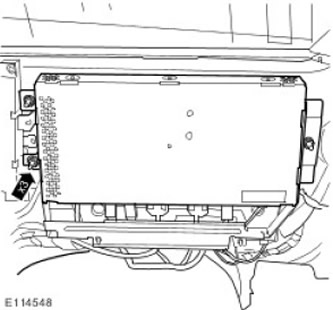
5. Disconnect the DVD player from the body. Remove the 4 T-head bolts.
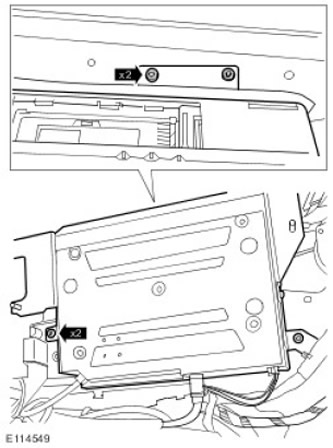
6.
CAUTION: Be careful not to bend fiber optic cables with a bend radius less than 25mm.
CAUTION: Clean the optical connectors from any foreign material.
Remove the DVD player. Disconnect the 3 electrical connectors.
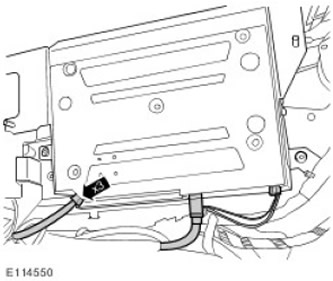
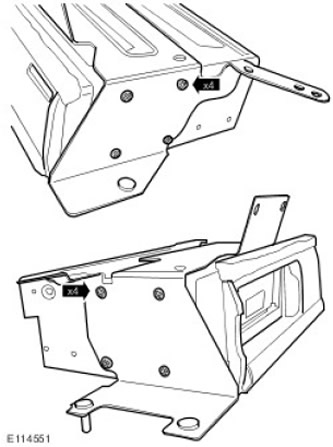
7. Remove the DVD player mounting bracket. Remove 8 screws.
Installation
1. Install the components in the reverse order of disassembly.
Comments on this article